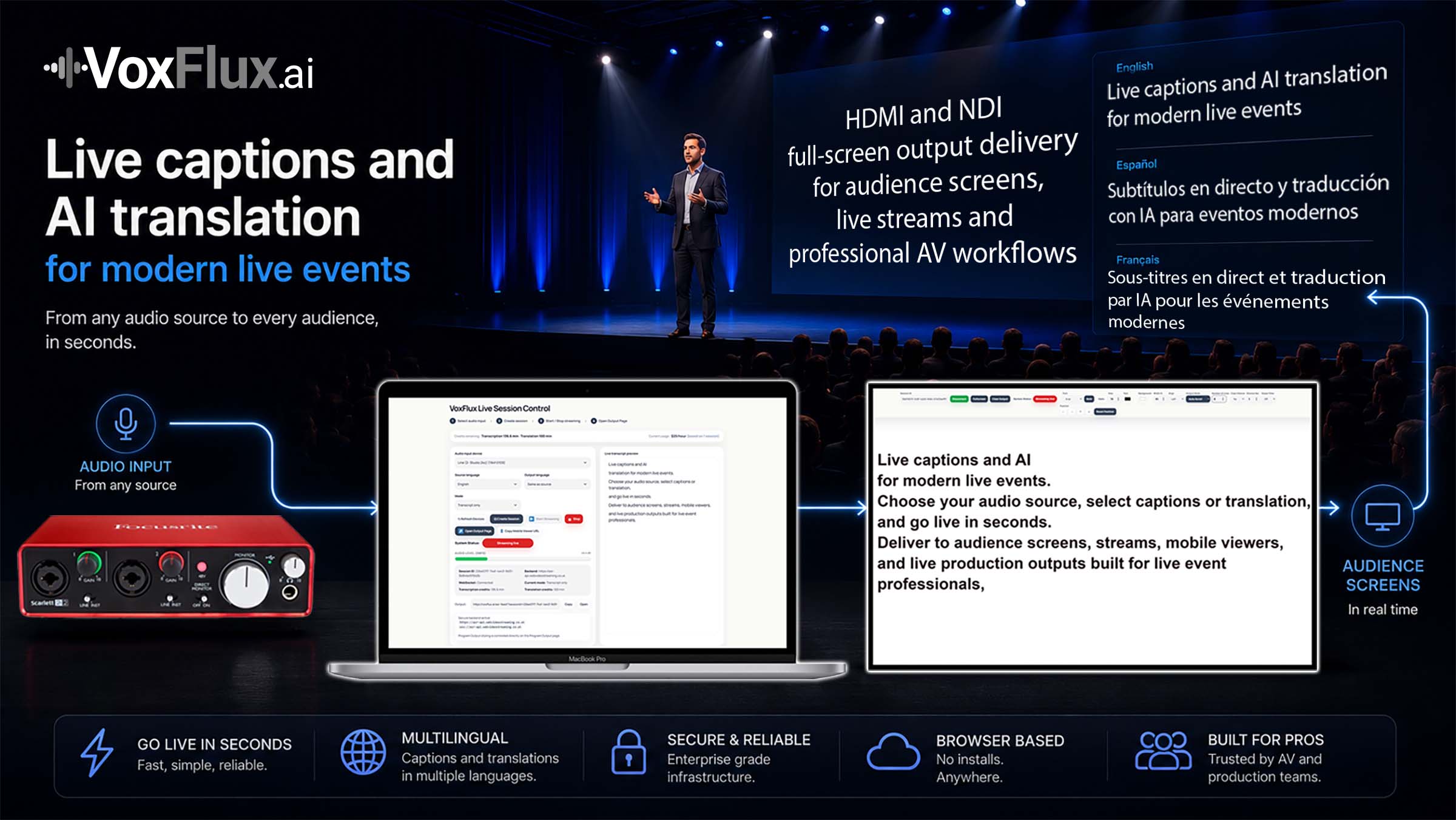
VoxFlux converts live event audio into AI-translated captions for multilingual audiences,
event screens, live streams and production-ready AV workflows.
Live event audio translation
Translate spoken content into real-time captions for conferences, webinars, streams and live event productions.
Translated outputs for screens and streams
Deliver translated captions to event screens, relay displays, audience-facing outputs, live streams and webcast workflows.
Built for event production
Designed for AV teams, production companies and event organisers who need fast multilingual delivery for conferences, hybrid events and live productions.
Output control
Style translated captions for event screens and streams.
Adjust translated caption outputs for live production scenarios, including font size, colours,
screen position, width and fullscreen display modes for audience-facing delivery.
Production outputs
Deliver translation into live event workflows.
Use clean browser-based outputs for event screens, live streams, relay displays,
webcast workflows and multilingual audience delivery.
Pricing
Simple AI translation pricing
Top up AI translation credits for multilingual events, live streams and AV workflows.
Credits are used during live translation sessions and can be added anytime from your VoxFlux dashboard.
First AI translation session $35/hour · Additional concurrent sessions $7/hour each
Additional concurrent sessions are only $7/hour each, making VoxFlux cost-effective for conferences, breakout rooms, international events and large-scale multilingual productions.
Why VoxFlux?
Made for event professionals, by event professionals.
VoxFlux focuses on practical AI translation for live events: fast setup, production-ready translated captions,
browser-based outputs and workflows built for AV teams, event organisers and production companies.
FAQ
AI translation FAQ
Can VoxFlux translate live speech for multilingual audiences?
Yes. VoxFlux converts live event audio into AI-translated captions so multilingual audiences can follow conferences, streams and live productions in another language.
Can translated captions be shown on event screens or live streams?
Yes. Translated caption outputs can be displayed on event screens, relay displays, audience-facing outputs and browser-based live stream workflows.
Which live event types is AI translation suitable for?
VoxFlux is designed for conferences, webinars, hybrid events, corporate broadcasts, live streams and multilingual audience environments.
Can operators control how translated captions are displayed?
Yes. Operators can adjust font size, colours, positioning, output width and fullscreen display behaviour depending on the event screen, stream or production setup.